A little more capable.
A lot more Mac.

Free macOS apps by Steven for dictation, system stats, screen capture, AI coding quota, windows, and your mouse.

Native macOS apps · Free and open source · Apple Silicon

Small apps. Useful every day.

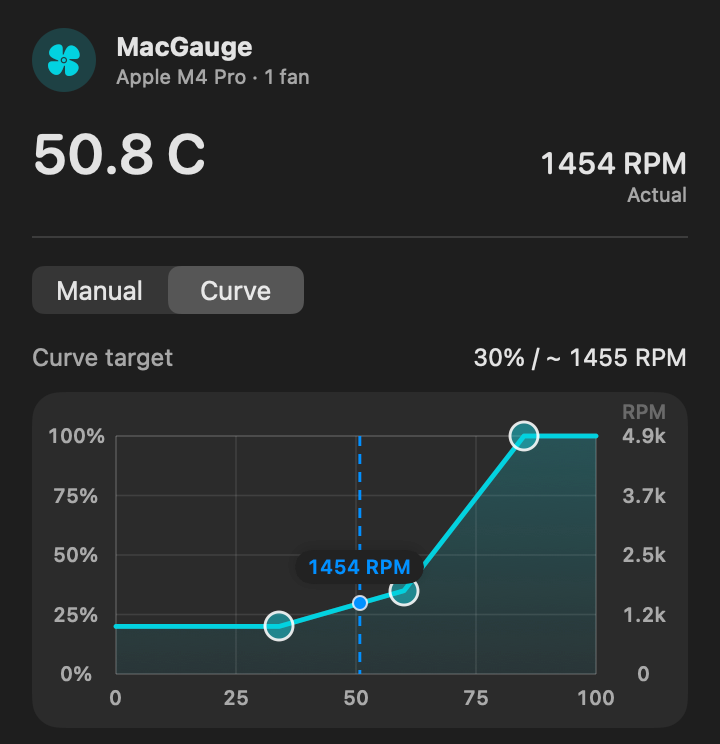
MacGauge menu bar popover with demo data: 50.8 C, 1454 RPM, Curve mode selected, and a three-point fan curve with the live fan speed marker

MacGauge

Fan Control & System Stats

Fans, temperature, and live system stats in your menu bar, with optional manual or curve fan control and a watchdog that hands it back to macOS.

  • Live temperature and per-fan RPM
  • Manual target and editable fan curve
  • Optional CPU, memory, and network modules

macOS 13.0+ Apple Silicon (M1+)

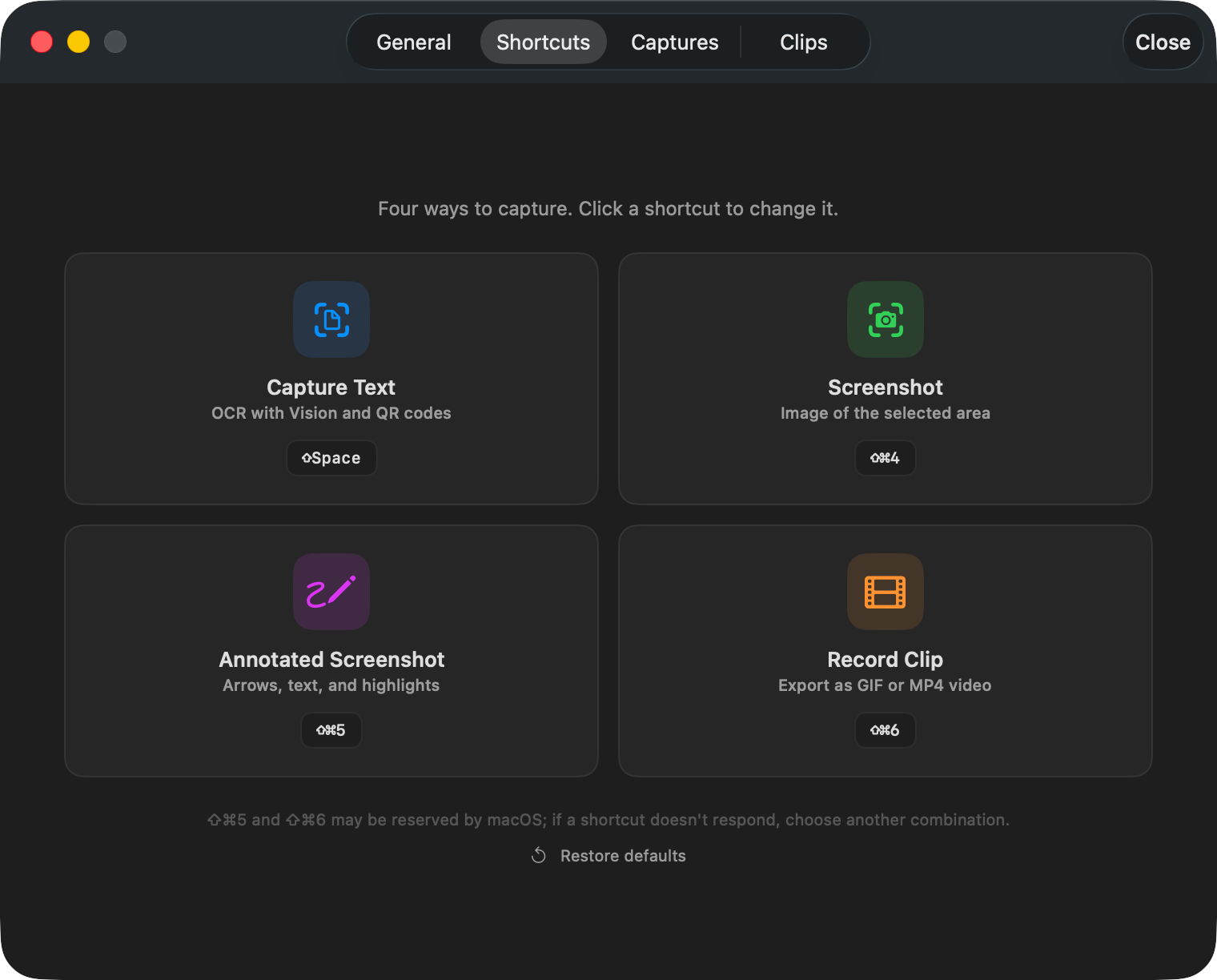
PeekOCR Shortcuts settings with four capture modes: Capture Text, Screenshot, Annotated Screenshot, and Record Clip, each with its own shortcut

PeekOCR

OCR, Screenshots & Clips

Four capture modes, each one shortcut away: text with on-device OCR, screenshots, annotated screenshots, and short GIF or MP4 clips.

  • On-device OCR copied to the clipboard
  • Automatic QR code detection
  • Screenshots as PNG, JPG, TIFF, or HEIC

OCR shortcut⇧ Space

macOS 15.0+ Apple Silicon (M1+)

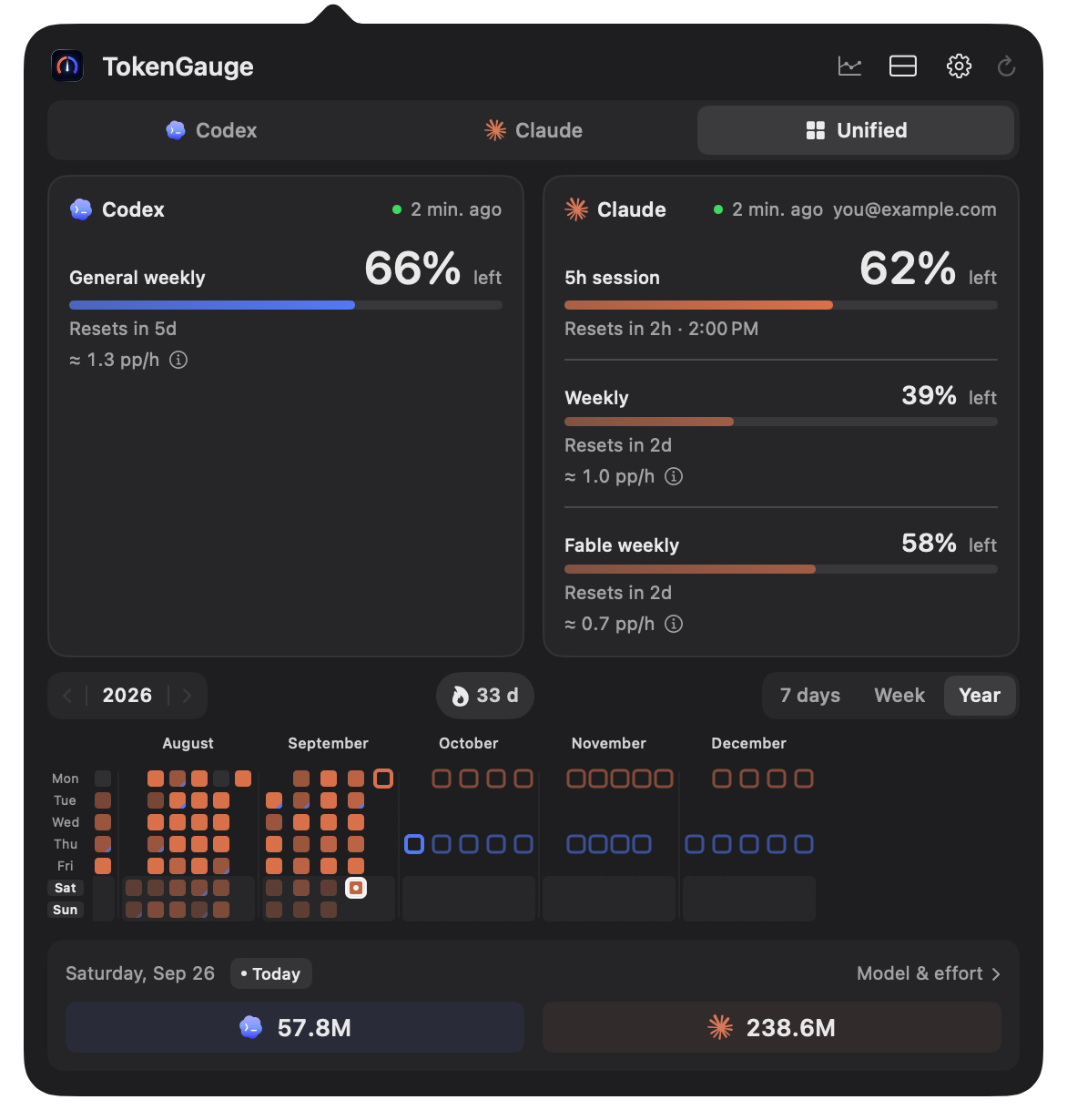
TokenGauge Unified panel with demo data: Codex and Claude quotas with reset times and pace, a yearly token activity calendar, and today’s token totals

TokenGauge

AI Coding Quota at a Glance

Claude Code and Codex quota in your menu bar: session and weekly limits, reset times, and token activity, kept in a private local history.

  • Codex, Claude, and Unified views
  • Session and weekly quotas with reset times
  • Forecast of whether your quota lasts until the reset

macOS 14.0+ Apple Silicon (M1+)

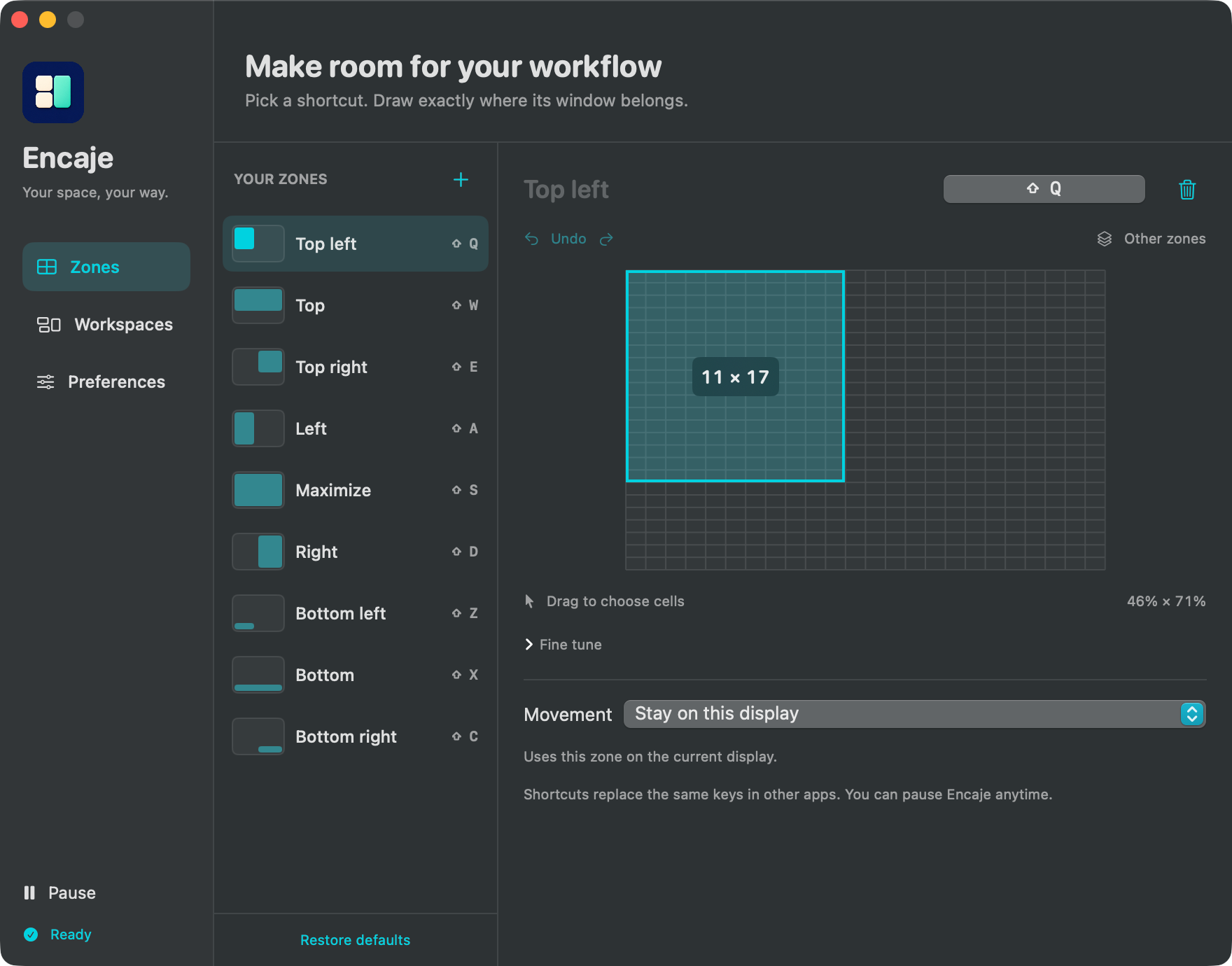
Encaje zone editor with the Top left zone drawn on its grid, the list of default zones with Shift shortcuts, and the Movement option

Encaje

Your Space, Your Way

Draw your own window zones on a grid, give each one a shortcut, and move windows between displays. No account required.

  • Custom grid zones with undo and redo
  • Your own keyboard shortcuts
  • Move windows across displays

macOS 14.0+ Apple Silicon (M1+)

BuenMouse

Trackpad Gestures for Mouse

Trackpad-style gestures for your mouse: middle click for Mission Control, middle drag to switch Spaces, and Control + scroll to zoom.

  • Middle click for Mission Control
  • Middle drag to switch Spaces
  • Control + scroll to zoom

macOS 15.0+ Apple Silicon (M1+)

Tools I build.
Tools you can make your own.

I'm Steven Coaila Zaa, an independent developer. Every app here is free, MIT licensed, and open on GitHub, so you can read the code, report an issue, and follow releases.

Meet the developer